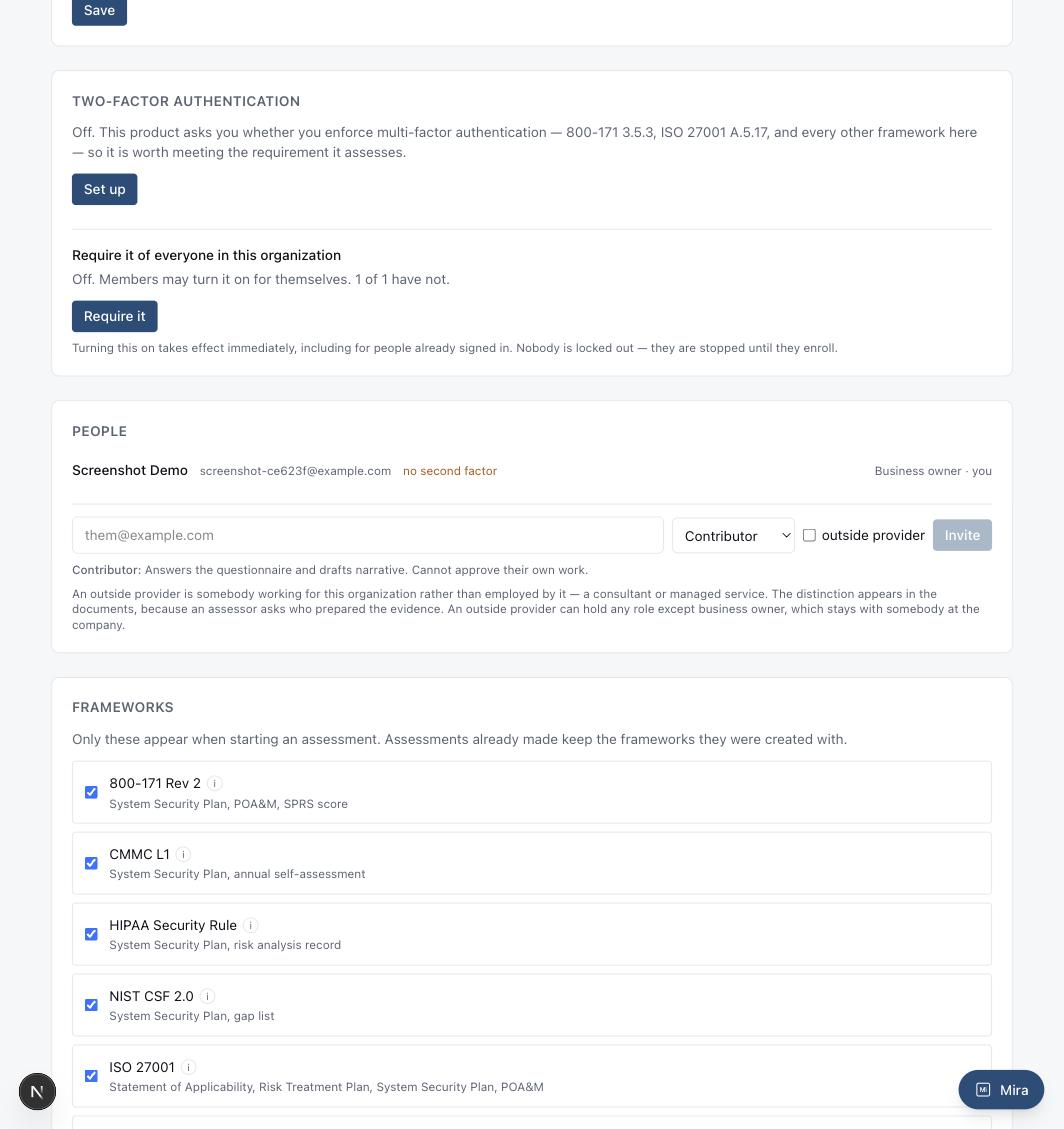
Who can see, answer, review, or administer — and who counts as an outside provider.
Inviting someone: their email, a role, and whether they work for the company or are an outside provider.
How to use it
Owner — the one role that stays with somebody actually employed by the company. Full access, and the name on the account.
Admin — administers people, settings, and scope, same as an owner short of that one distinction.
Reviewer — may approve or reject drafted narrative. Included wherever an admin is, because approving a paragraph and changing who has access are different kinds of decision.
Contributor — answers the questionnaire and drafts narrative, but cannot approve their own work.
Member — read access, for someone who needs visibility without touching the record.
How to set it up
In Settings, under People, enter an email, pick a role, and check "outside provider" if this is a consultant or managed service provider rather than an employee — that distinction shows up in the documents themselves, because an assessor asks who actually prepared the evidence. An outside provider can hold any role except owner, which stays with somebody at the company.